Download FileZilla for Windows
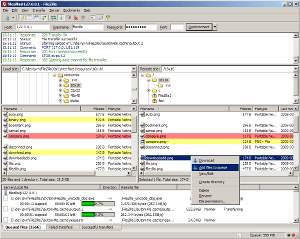
FileZilla 3.69.6 is the latest stable version of the free FTP client for Windows. It supports FTP, FTPS (FTP over TLS) and SFTP for secure file transfers. FileZilla runs on Windows 11 and Windows 10, both 64-bit and 32-bit editions.
Download FileZilla for Windows 64-bit 
Recommended for Windows 11 and Windows 10 64-bit systems.
File size: ~12 MB | Windows 64-bit installer
Download FileZilla for Windows 32-bit 
For older Windows systems running 32-bit editions.
File size: ~11 MB | Windows 32-bit installer
How to Install FileZilla on Windows
Installing FileZilla on Windows takes less than a minute:
- Step 1: Click the Download button above to get the installer
- Step 2: Run the downloaded .exe file
- Step 3: Accept the license agreement
- Step 4: Choose your installation directory (default is fine)
- Step 5: Click Install and wait for the process to complete
- Step 6: Launch FileZilla and connect to your server
During installation, the installer may offer optional bundled software. You can safely decline these offers by clicking "Decline" or unchecking the boxes.
FileZilla for Windows — Key Features
- Supports FTP, FTP over TLS (FTPS) and SFTP protocols
- Drag-and-drop file transfer between local and remote panels
- Site Manager to save and organize server connections
- Transfer queue with pause, resume and priority controls
- Synchronized directory browsing
- Remote file editing — open files directly from the server
- Directory comparison to spot differences between local and remote files
- Network configuration wizard for firewall and NAT setups
- Supports files larger than 4 GB
- Available in 47+ languages including English, Spanish, German, French, Chinese and Japanese
System Requirements for Windows
- Operating System: Windows 11, Windows 10, Windows 8.1, Windows 7 (64-bit or 32-bit)
- Processor: 1 GHz or faster
- RAM: 512 MB minimum (1 GB recommended)
- Disk Space: 50 MB for installation
- Network: Internet connection required for file transfers
Other Platforms
FileZilla is also available for other operating systems:
- Download FileZilla for macOS (Intel and Apple Silicon)
- Download FileZilla for Linux (64-bit)
- Download FileZilla Server for hosting your own FTP server
Frequently Asked Questions — FileZilla for Windows
How do I download FileZilla for Windows?
Click the green Download button at the top of this page. The Windows 64-bit installer will begin downloading automatically. Once the download is complete, run the .exe file and follow the installation wizard.
Is FileZilla compatible with Windows 11?
Yes, FileZilla 3.69.6 is fully tested and compatible with Windows 11 (64-bit). It also works on Windows 10, Windows 8.1 and Windows 7.
Is FileZilla for Windows free?
Yes, FileZilla Client is completely free and open source under the GNU General Public License. You can use it for personal and commercial purposes without any cost. There is also a paid FileZilla Pro version (starting at $12.99) that adds cloud storage protocol support for Amazon S3, Google Drive, Dropbox and more.
How do I install FileZilla on Windows?
Download the installer from this page, run the .exe file, accept the license, choose your installation folder, and click Install. The entire process takes less than a minute. You can decline any optional bundled software offers during installation.
Does FileZilla work on Windows 32-bit?
Yes, FileZilla provides a dedicated 32-bit installer for older Windows systems. Download it from the "Windows 32-bit" section above.