Download FileZilla Client
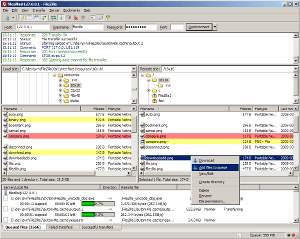
The latest stable version of FileZilla Client is 3.69.6
FileZilla 3.69.6 is available for Windows, macOS, and Linux. Select your platform below — the download starts immediately, no account or registration required.
Download FileZilla for Windows (64bit x86) 
The Windows 64-bit build runs on Windows 10 and Windows 11. It is the recommended version for the vast majority of users on modern hardware.
Download FileZilla for Other Platforms
 Windows (32bit)
 macOS (Intel)
 Linux (64bit)
FileZilla Client Features
- Supports FTP, FTP over TLS (FTPS) and SSH File Transfer Protocol (SFTP)
- Cross-platform — runs on Windows, macOS and Linux
- Tabbed user interface for managing multiple server connections
- Powerful Site Manager and transfer queue
- Bookmarks and drag-and-drop support
- Configurable transfer speed limits
- Directory comparison and synchronized browsing
- Network configuration wizard for NAT and firewall setups
- Remote file editing and search
- Available in more than 47 languages
Download FileZilla — FAQ
How to download FileZilla for Windows?
Click the download button for your platform above. The Windows
Can I download FileZilla for Mac?
Yes — FileZilla runs natively on macOS. Choose the Intel build for older Macs or the Apple Silicon build for M1, M2, and M3 systems. Both builds are identical in features.
Does FileZilla contain adware?
The FileZilla installer from the official project page may include optional third-party offers during setup. These can be declined on the installer screens. Downloading from filezilla-download.org links directly to the official FileZilla project releases.